Shopizza
Personal Life Planner - Google Sheets & Calendar Planner
Personal Life Planner - Google Sheets & Calendar Planner
Couldn't load pickup availability
Plan your personal life, tasks and important events with a practical Google Sheets planner that works with Google Calendar.
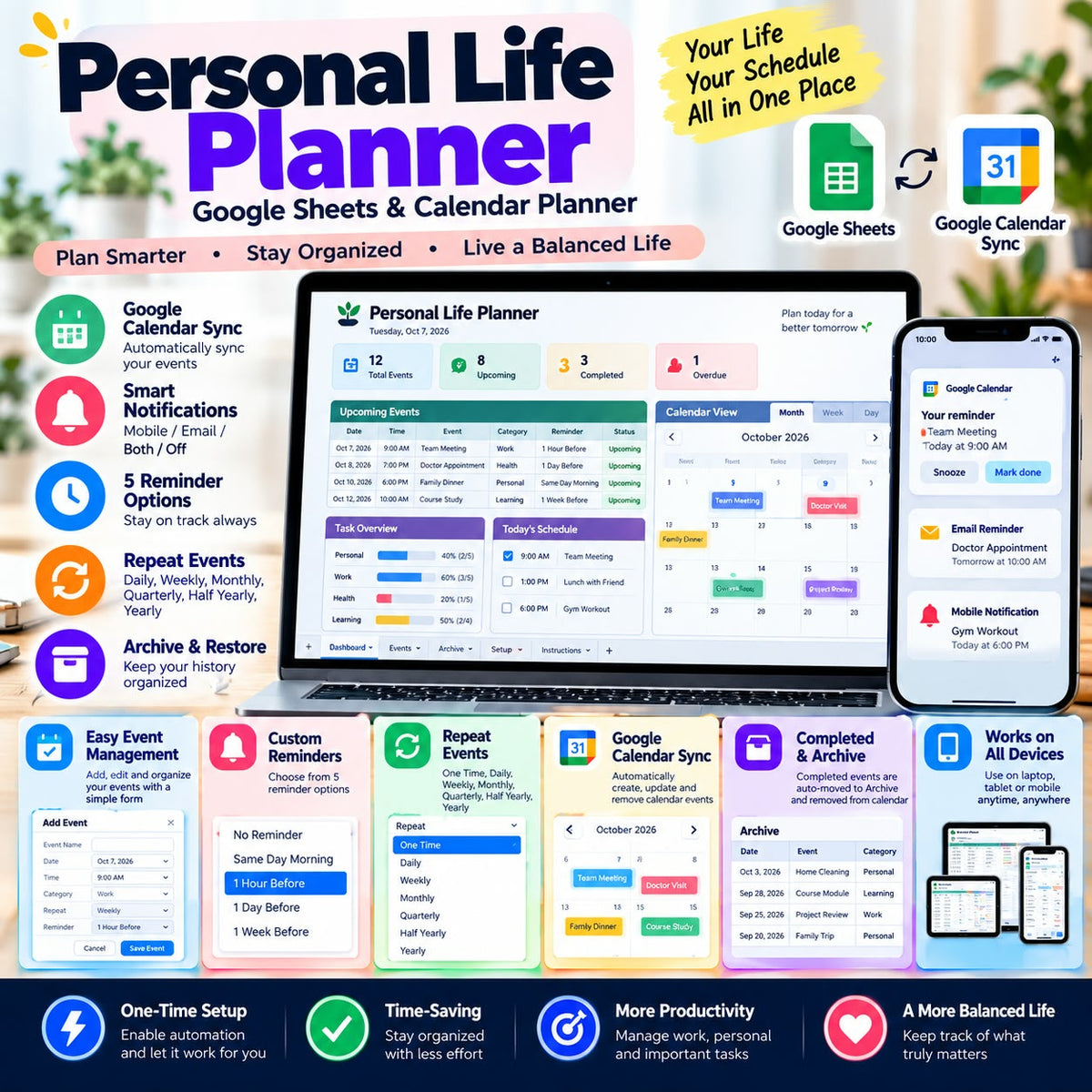
The Personal Life Planner helps you organize events, manage reminders, track completed activities and keep your schedule synchronized with Google Calendar.
Designed for easy everyday planning, the planner combines a structured Google Sheets interface with automated calendar and reminder features.
What's Included
📅 Google Calendar Sync
Automatically synchronize active planner events with your Personal Life Planner Google Calendar.
🔔 Flexible Notifications & Reminders
Choose Mobile Only, Email Only, Mobile + Email, or Off.
⏰ 5 Reminder Options
Choose from:
* No Reminder
* Same Day Morning
* 1 Hour Before
* 1 Day Before
* 1 Week Before
🔄 Repeat Events
Create One Time, Daily, Weekly, Monthly, Quarterly, Half Yearly, or Yearly events.
✅ Completed Event Processing
When an active event is marked Completed, it is automatically processed and moved to the Archive sheet, while its corresponding Google Calendar event is removed.
📦 Archive & Restore
Archive events and restore them later when needed.
🌍 Timezone-Safe Planning
The planner uses your spreadsheet timezone to help keep event times consistent with Google Calendar.
⚙️ Automated Planner Features
Enable Planner Automation once in your own copy and let the planner handle scheduled synchronization and event processing automatically.
Perfect For
* Daily and weekly planning
* Personal task management
* Important appointments and events
* Recurring activities
* Reminder management
* People who use Google Sheets and Google Calendar
* Organizing personal schedules in one place
How It Works
1. Open the planner.
2. Make your own copy in Google Drive.
3. Authorize the required Google permissions.
4. Enable Planner Automation.
5. Add your events and start planning.
A detailed Customer User Guide is included to help you set up and use the planner.
Requirements
* Google Account
* Google Sheets
* Google Calendar
* Google Apps Script permissions
Important: This is a digital product. No physical product will be shipped.
You will receive access to the digital planner and setup instructions after purchase.
Share